
ShareThis Platform API
Manage ShareThis properties, tools, and apps with a our API.
ShareThis Platform API lets you create website properties, verify domain ownership, configure ShareThis apps, and inspect live tool output through secure REST APIs with bearer token authentication. Existing customers can sign in with their current account, while new users can sign up to get started.
API REST
Bearer auth
Property validation
App configuration
Properties
Create, list, retrieve,
and validate domains
Apps
Configure ShareThis
outils du site web
Auth
Secure bearer tokens
for API requests
Liveview
Inspect saved tool
runtime output
PLATFORM
The API layer for managing ShareThis website tools.
The ShareThis Platform API is built for authenticated integrations that need to manage ShareThis account resources programmatically. Create website properties, validate domain ownership, configure ShareThis tools, and inspect the currently saved app output from your own application or backend workflow.

Property management
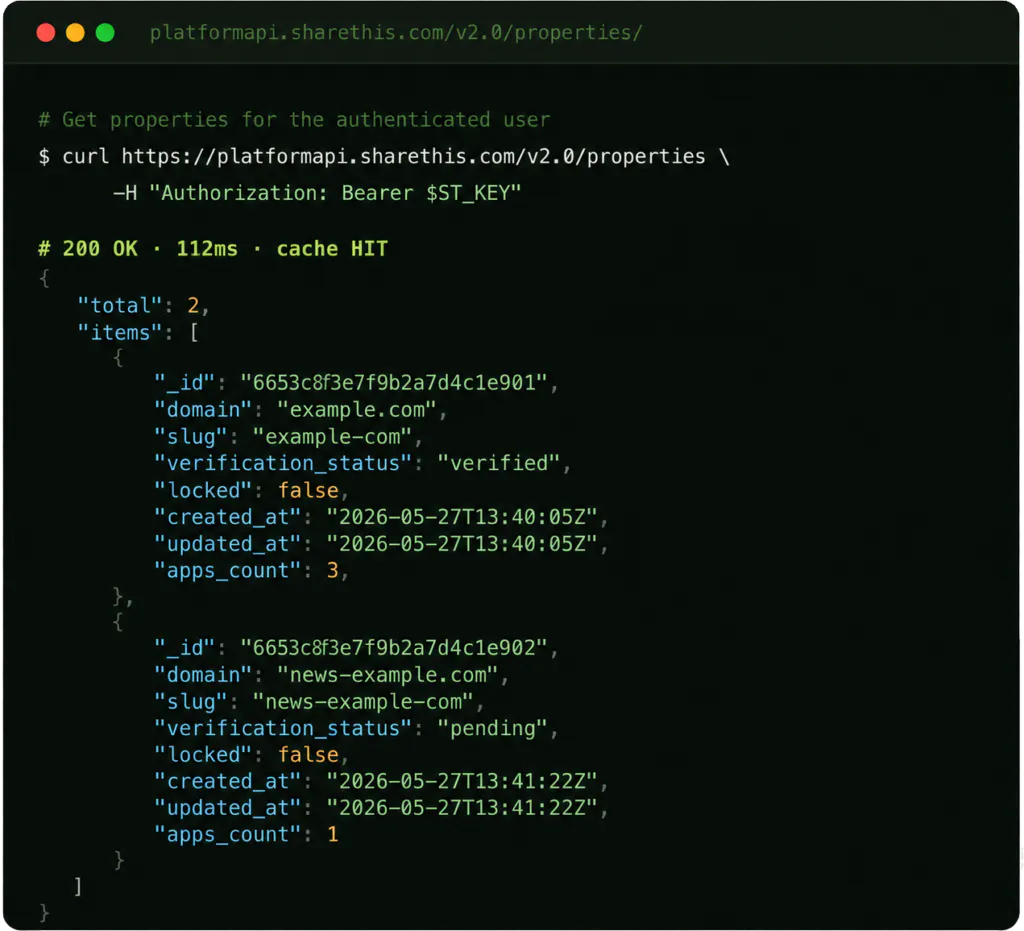
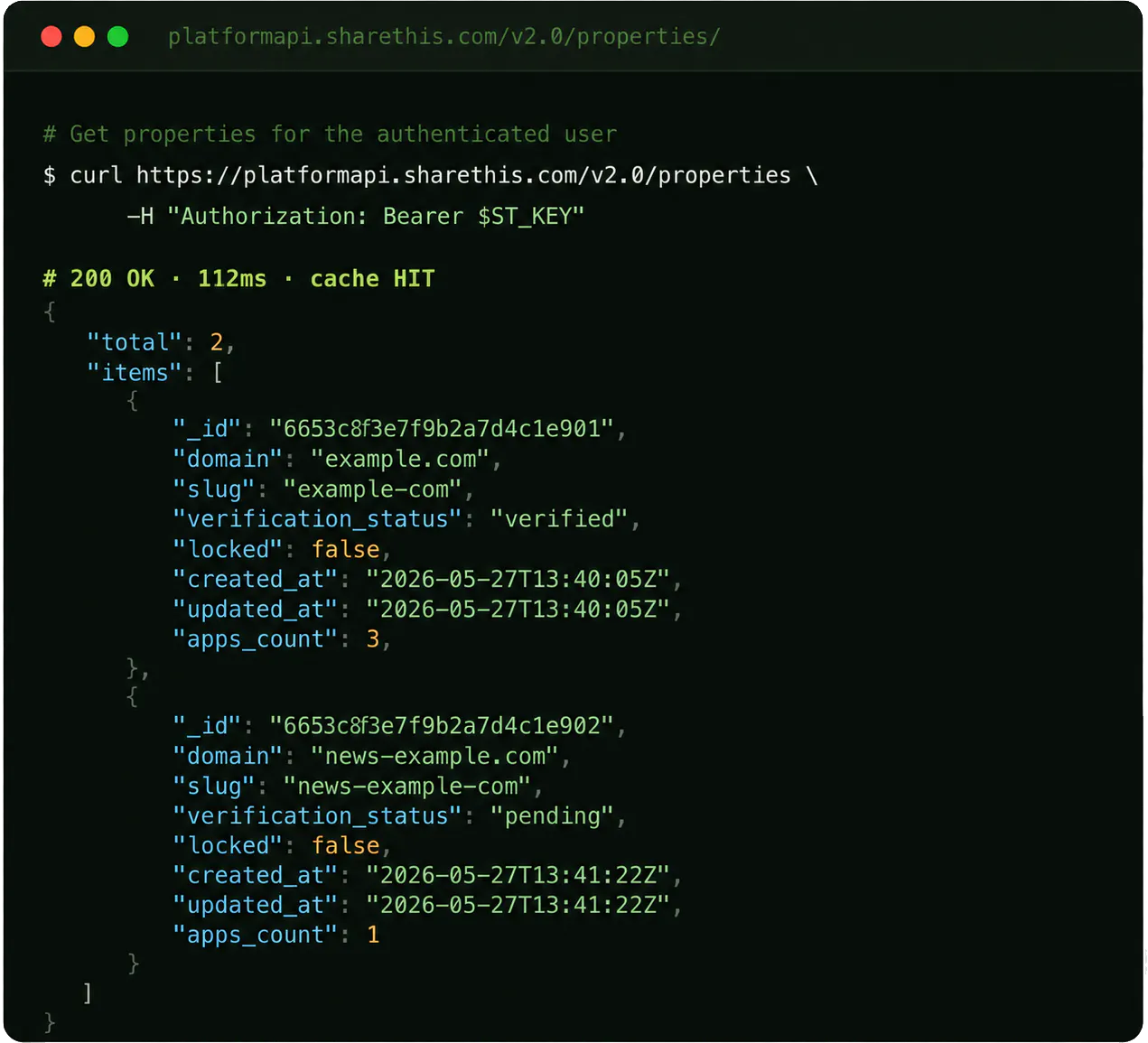
Create properties for domains, list account properties, retrieve property details, and validate ownership through a domain-hosted verification file.

App configuration
Create, update, inspect, list, and remove ShareThis app configurations, including inline share buttons, sticky share buttons, inline follow buttons, and inline reaction buttons.

Secure authentication
Authenticate with a ShareThis account and send protected requests with bearer tokens. API calls are scoped to the authenticated user’s accessible properties.

REST-first integration
Use predictable REST endpoints to create properties, validate domains, and manage ShareThis tools from your own application or backend workflow.

Live saved runtime
Generate a liveview document that loads the saved ShareThis runtime for a property, so your integration can inspect what is currently configured.

Predictable schemas
Structured request and response shapes make it easier for REST clients to call endpoints reliably and interpret results consistently.
REFERENCE
REST endpoints for ShareThis account and tool management.
The ShareThis Platform API is organized around authentication, properties, validation, and apps. Use it to manage account resources and ShareThis website tools programmatically.
| Method | Path | Description | Auth |
|---|---|---|---|
| POST | /v2.0/auth/login | Authenticate a ShareThis user and issue a bearer access token for REST clients. | Public |
| POST | /v2.0/properties/ | Create a new property for the authenticated ShareThis account. | Bearer |
| GET | /v2.0/properties | List properties associated with the authenticated user. | Bearer |
| GET | /v2.0/properties/{property_id} | Get domain, slug, verification, lock, and timestamp details for a property. | Bearer |
| POST | /v2.0/properties/{property_id}/validate | Validate property ownership using sharethis-property.txt on the property domain. | Bearer |
| POST | /v2.0/properties/{property_id}/apps | Create or update a ShareThis app configuration for a property. | Bearer |
| GET | /v2.0/{property_id}/apps/ | List apps currently configured for a property. | Bearer |
| GET | /v2.0/{property_id}/apps/{app_id} | Retrieve configuration for a specific app on a property. | Bearer |
| DELETE | /v2.0/{property_id}/apps/{app_id} | Remove a configured app from a property. | Bearer |
SUPPORTED APPS
Configure the ShareThis tools your site already uses.
Use the app configuration endpoints to add, update, inspect, and remove supported ShareThis tools on a property. Each app has its own settings, but the API uses a consistent app management pattern.
inline-share-buttons
Boutons de partage en ligne
Add share buttons directly into page content with configurable networks, alignment, size, spacing, labels, colors, counts, and mobile behavior.
sticky-share-buttons
Boutons de partage flottants
Configure floating share buttons with placement, toggle behavior, total counts, labels, network selection, sizing, and mobile display options.
inline-follow-buttons
Inline Follow Buttons
Connect visitors to your social profiles with configurable follow networks, profile URLs, action text, alignment, spacing, sizing, and style options.
inline-reaction-buttons
Inline Reaction Buttons
Let audiences react to content with configurable reactions, padding, size, language, minimum counts, and display behavior.
QUICKSTART
From account access to configured ShareThis tools in minutes.
Use the REST API to authenticate, select a property, validate ownership, and manage ShareThis tools from your own application or backend workflow.
1
Authenticate your account
Use the login endpoint to obtain a bearer token, then include it in protected API requests for properties and apps.
2
Create or select a property
Create a new website property, list existing properties, or retrieve a property by ID before configuring ShareThis tools on that domain.
3
Configure and inspect apps
Use app endpoints to add, update, retrieve, delete, or preview ShareThis tools. Supported app IDs include inline-share-buttons, sticky-share-buttons, inline-follow-buttons, and inline-reaction-buttons.
Build with the ShareThis Platform API.
Request access to create properties, manage ShareThis tools, validate domains, and connect ShareThis account actions to your own applications.